RAG
Introduction
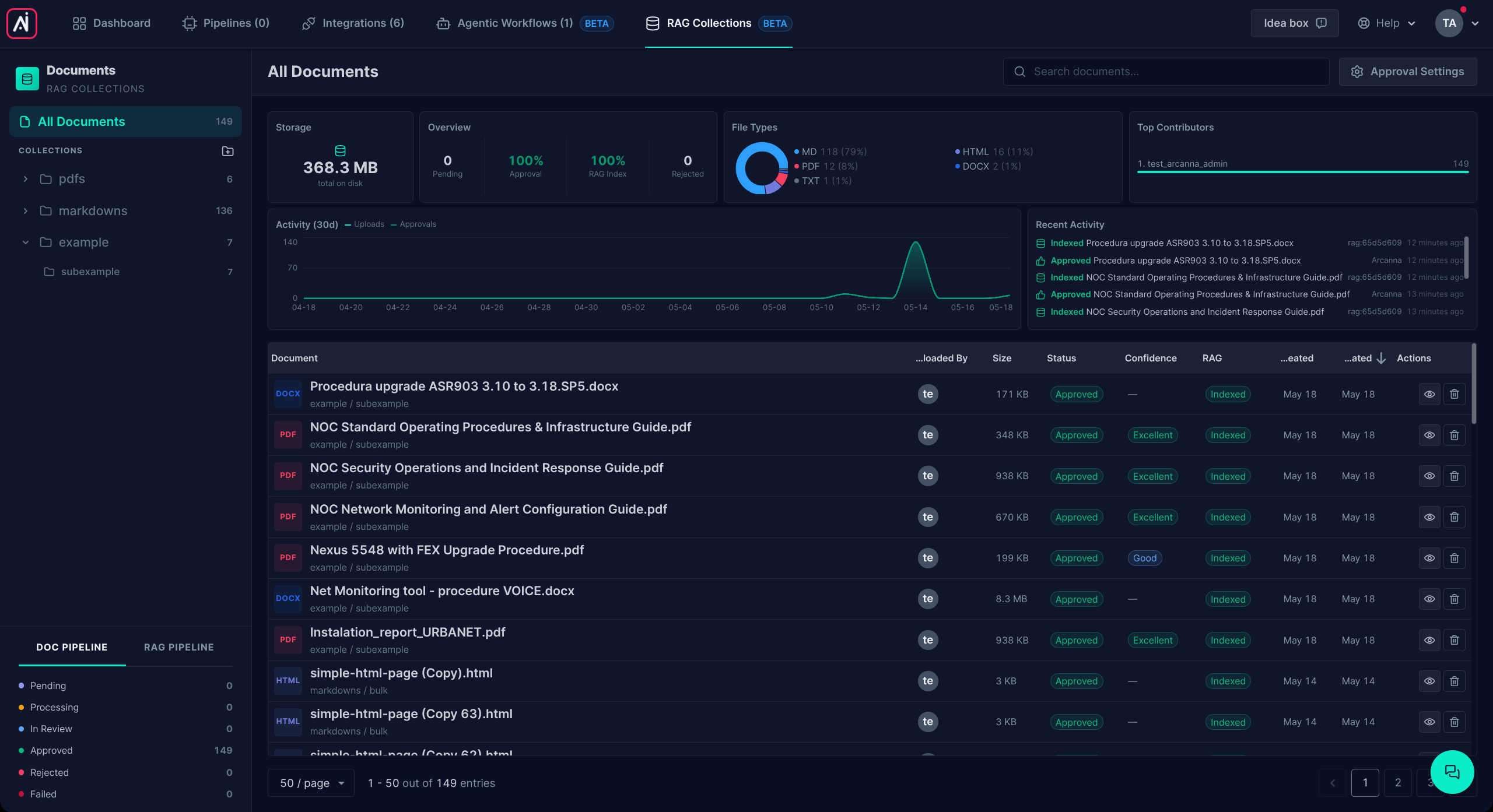
The RAG (Retrieval-Augmented Generation) module is Arcanna's document knowledge layer. Upload your own documents — PDFs, Office files, web pages, plain text — and Arcanna's AI Assistant and Agentic Workflows can use them as a source of truth when they answer questions or run automations. The model is no longer guessing from general training data; it is reasoning over the material you gave it.
Behind the scenes, every uploaded document is converted into clean text, optionally checked by a human reviewer, and then indexed so that natural-language questions can be matched against the right pieces of the right documents.
How content is organised
Documents in Arcanna RAG live inside a two-level hierarchy. Understanding it is the only background you need before you start uploading.
Collection
A collection is the top-level grouping. It usually maps to a broad domain or knowledge area — for example Security Playbooks, HR Policies, or Product Documentation. Collections have a name, an optional description, and tags. Collections do not hold documents directly; they hold subcollections.
Subcollection
A subcollection lives inside a collection and is the actual container for documents. It has a name, an optional description, and tags. The two-level structure lets you organise a domain into smaller, retrievable themes. Under Security Playbooks, for example, you might have Phishing, Ransomware, and Insider Threat subcollections.
You always upload documents into a subcollection, never directly into a collection.
Document
A document is a single file you upload. Arcanna accepts PDF, Word (DOCX), PowerPoint (PPTX), Excel (XLSX), HTML, Markdown, plain text, and CSV. Each document belongs to exactly one subcollection.
Once uploaded, every document carries:
- the original file, kept on disk so you can preview or download it,
- the converted text that the AI actually reads,
- a conversion status (was it converted successfully? is it waiting for review?),
- an indexing status (is it searchable yet?),
- an optional description that documents what the file is about, and tags you can use to control retrieval.
Description and tags
Description and tags are the two pieces of metadata you can attach to a document.
- Description is a short, human-written summary of what the document is about — typically one to three sentences. It is purely informational: it helps users / LLMs understand at a glance what a document contains when browsing or listing the corpus. It does not affect retrieval or ranking.
- Tags are free-form labels. They let your workflows or Assistant queries restrict retrieval to a subset of documents — for example "only documents tagged
oncall" or "only documents tagged2025-policy". Tags don't change ranking; they narrow the set of candidates that get ranked.
Collections and subcollections also accept tags, and those work the same way: they let a retrieval call target a specific collection or subcollection by tag rather than by ID.
End-to-end flow
A document goes through five stages from the moment you upload it:
- Upload into a subcollection.
- Conversion — Arcanna extracts clean text from your file. For non-PDF formats this is deterministic; for PDFs it involves AI-based layout and table extraction, plus OCR when there's no embedded text layer. See Markdown Conversion.
- Review and approval — either a human checks the conversion in the UI, or Arcanna auto-approves it, depending on the approval mode you've configured.
- Indexing — once approved, the document is split, embedded, and stored so it can be searched semantically. See Indexing.
- Retrieval — the AI Assistant and Agentic Workflows can now find and use the document's content when they need it. See Retrieval.
Next sections will cover:
- Installation — hardware requirements, GPU vs CPU, and how to size your deployment.
- Ingestion Pipeline — how documents become searchable: conversion, review, indexing.
- Retrieval — how Arcanna finds the right content and how it's used inside the Assistant and Agentic Workflows.