Anomali ThreatStream
Anomali ThreatStream is a threat intelligence platform that aggregates and correlates intelligence from multiple sources to help identify and respond to threats. It provides curated indicators of compromise (IOCs) - IP addresses, domains and file hashes - together with confidence scores and status, so security teams can quickly determine whether an observable is malicious.
Arcanna - Anomali ThreatStream integration
By integrating with Anomali ThreatStream, Arcanna enriches security events with IOC analysis intelligence. The additional context helps the AI decision-making process make a more informed decision about an event, so the enrichment is applied before the AI decision step in the pipeline.
Steps to configure Anomali ThreatStream integration:
Prerequisites
- A valid Arcanna.ai instance - for setup, follow this user guide.
- A valid Anomali ThreatStream account with API access.
- Your Anomali username and API Key.
How to obtain the API Key
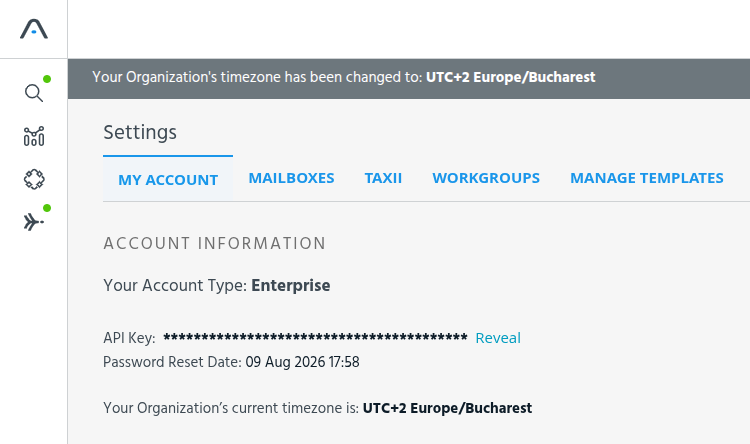
Go to your Anomali ThreatStream account, open Settings and select the My Account tab. Your API Key is shown under Account Information - click Reveal to display it and copy it for later use in Arcanna:
How to connect
Go to your Arcanna instance:
Create the integration
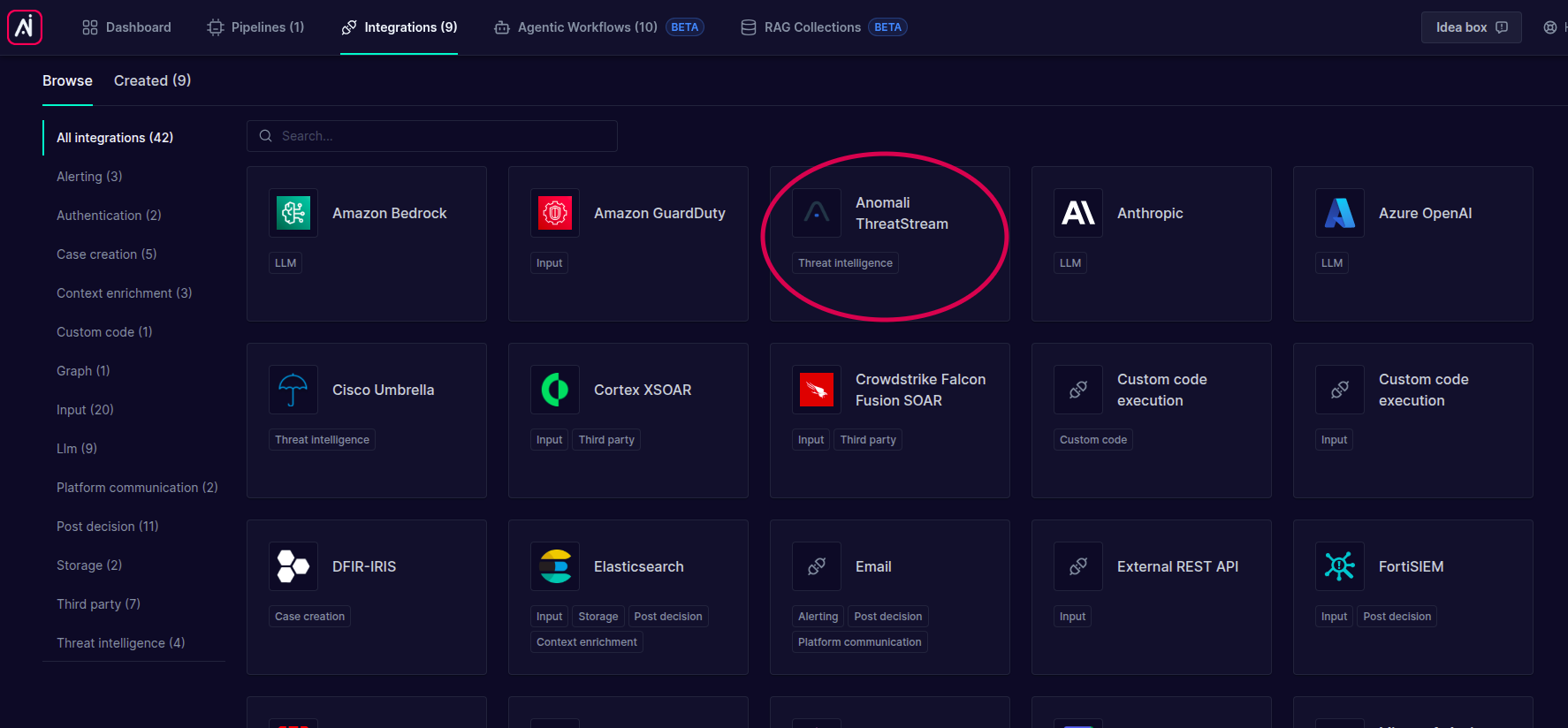
- Go to the Integrations tab and search for Anomali ThreatStream:
- Click on it and complete the parameters with your Anomali ThreatStream account information:
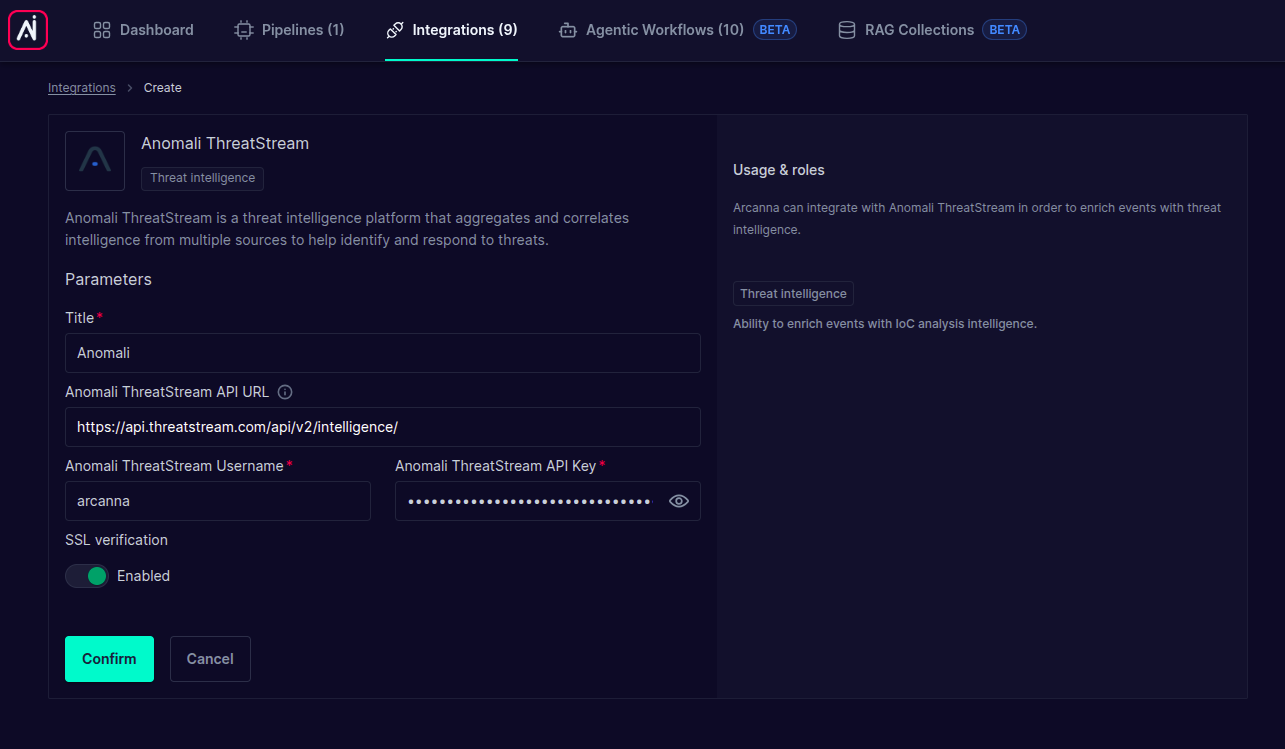
| Parameter | Required | Description |
|---|---|---|
| Title | Yes | A friendly name for this integration (e.g. Anomali). |
| Anomali ThreatStream API URL | No | The ThreatStream intelligence API endpoint. Defaults to https://api.threatstream.com/api/v2/intelligence/. |
| Anomali ThreatStream Username | Yes | The username associated with your Anomali ThreatStream account. |
| Anomali ThreatStream API Key | Yes | The API key used to authenticate against Anomali ThreatStream. Stored encrypted. |
| SSL verification | No | Toggle TLS certificate verification on/off. Keep it Enabled in most cases. |
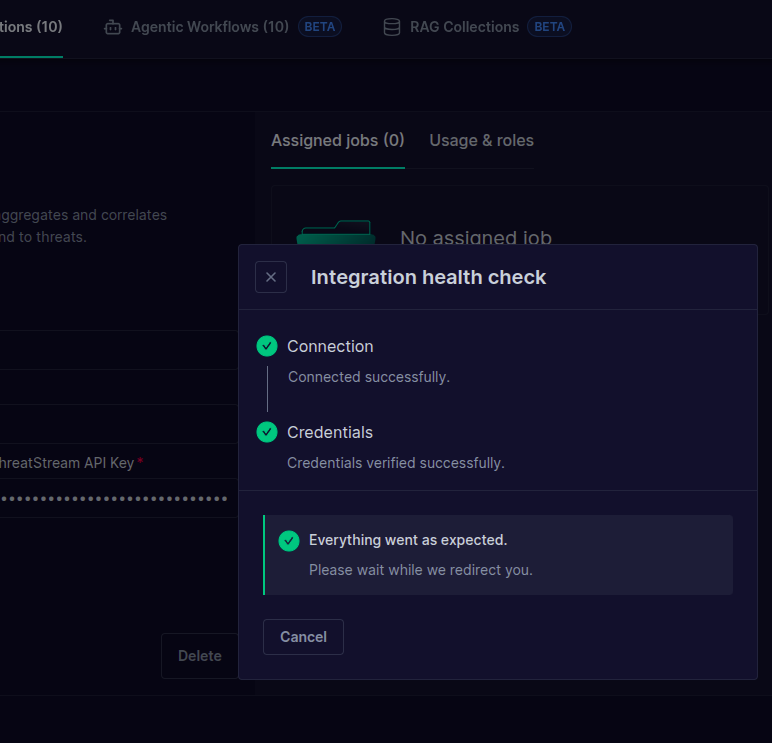
- Click Confirm. Arcanna runs a health check against Anomali ThreatStream (connection + credentials) and, once successful, the integration is created:
Use as threat intelligence integration
Use Anomali ThreatStream to enrich events with IOC analysis before the AI decision is made.
- Create an Arcanna pipeline (or open an existing one) and go to its Flows page.
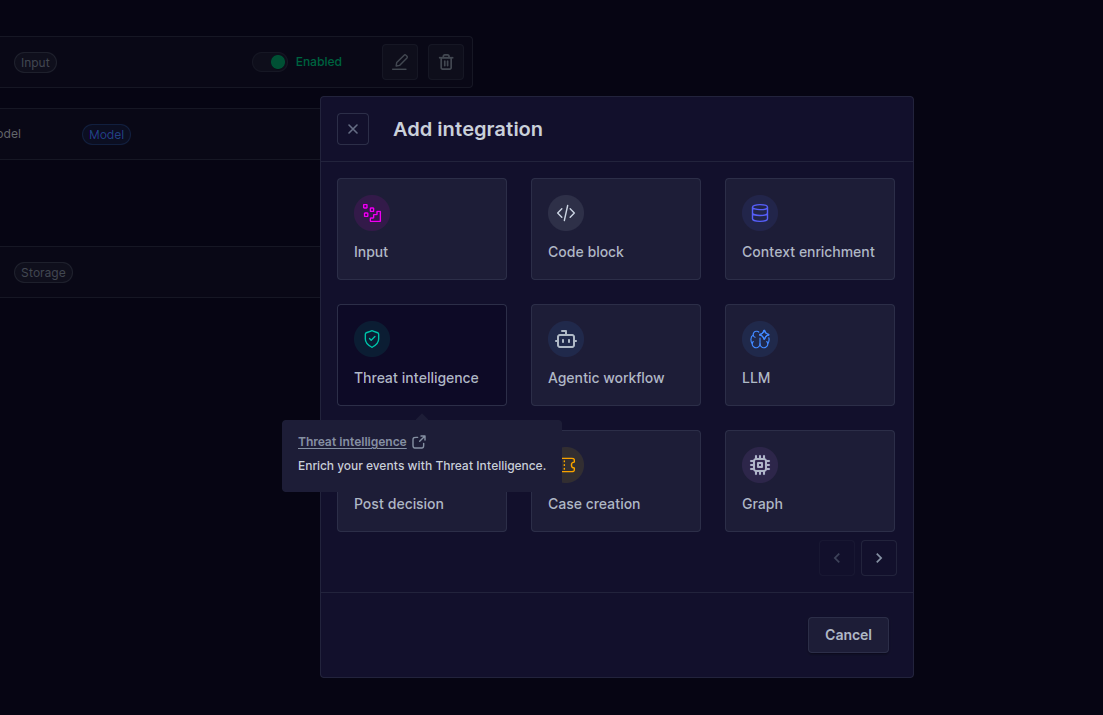
- Click Add integration + and select Threat intelligence:
- Choose the Anomali integration and configure the parameters:
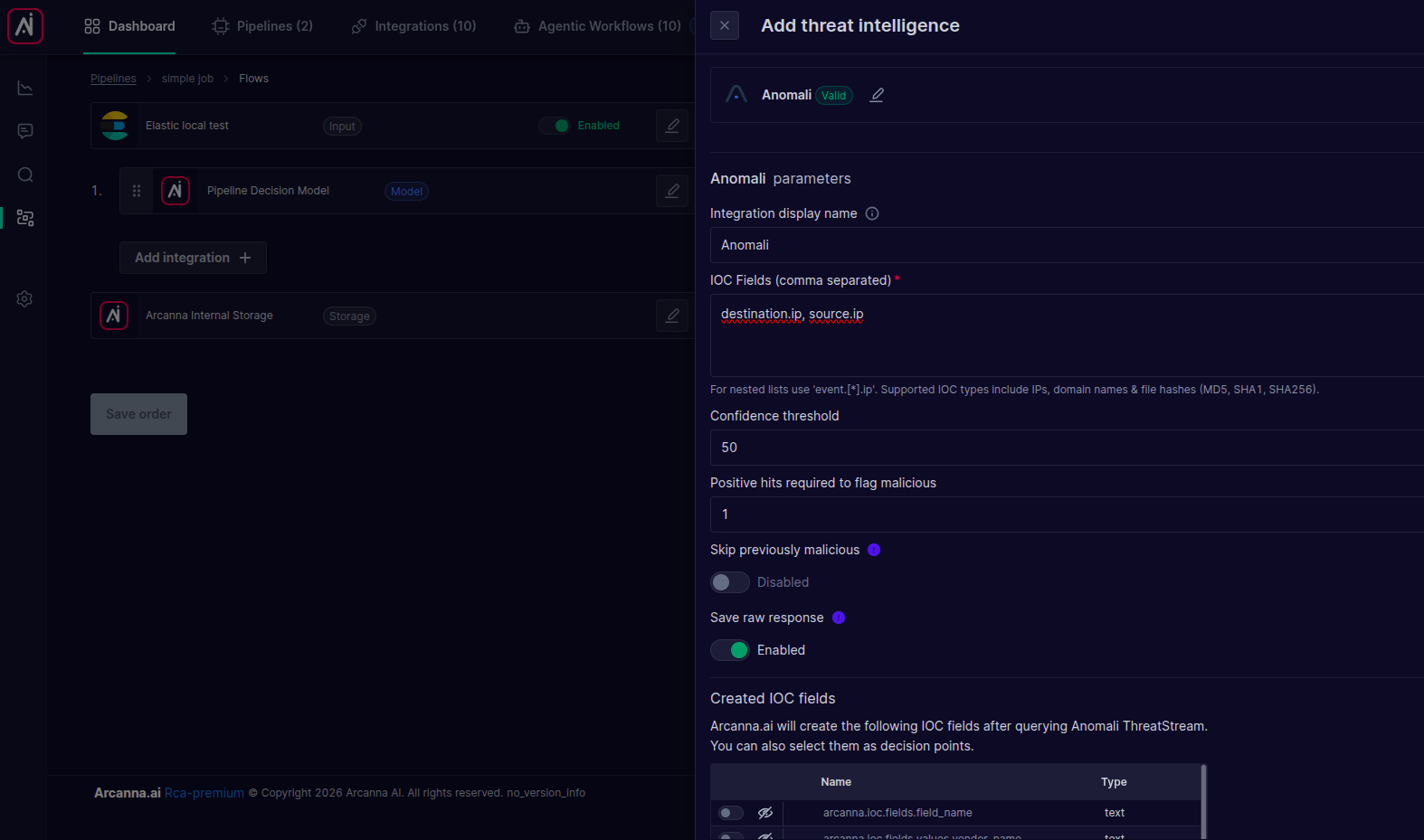
| Parameter | Required | Description |
|---|---|---|
| Integration display name | No | An optional label shown on the events to identify this enrichment. |
| IOC Fields (comma separated) | Yes | The event field(s) holding the observables to investigate (e.g. destination.ip, source.ip). For nested lists use event.[*].ip. Supported IOC types are IPs, domain names and file hashes (MD5, SHA1, SHA256). |
| Confidence threshold | No | The minimum Anomali confidence score (0–100) for an indicator to be counted as a positive hit. Defaults to 50. |
| Positive hits required to flag malicious | No | The number of positive (active, above-confidence) indicators required to mark the observable as malicious. Defaults to 1. |
| Skip previously malicious | No | When enabled, observables already flagged as malicious earlier in the pipeline are not queried again. |
| Save raw response | No | When enabled, the full Anomali API response is stored on the event for inspection. |
The Created IOC fields panel at the bottom lists the fields that Arcanna will add to the event after querying Anomali ThreatStream (e.g. arcanna.ioc.fields.*). You can toggle which of these are exposed and later select them as decision points.
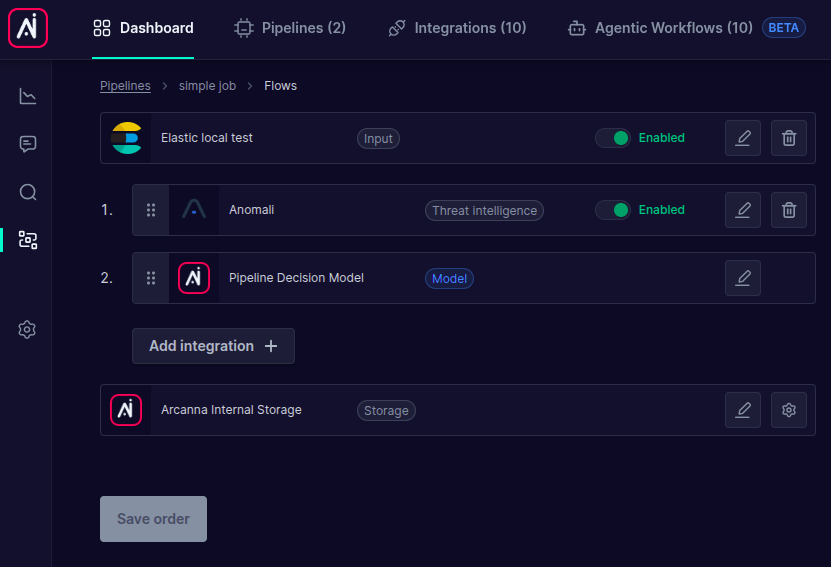
- Click Save and run. The threat intelligence step now appears in the job's Flows, before the AI Decision model. You can
Enable/Disableit at any time without losing its configuration:
Testing the Anomali ThreatStream enrichment
- Start the job (if not already started) and ingest events containing the configured IOC fields.
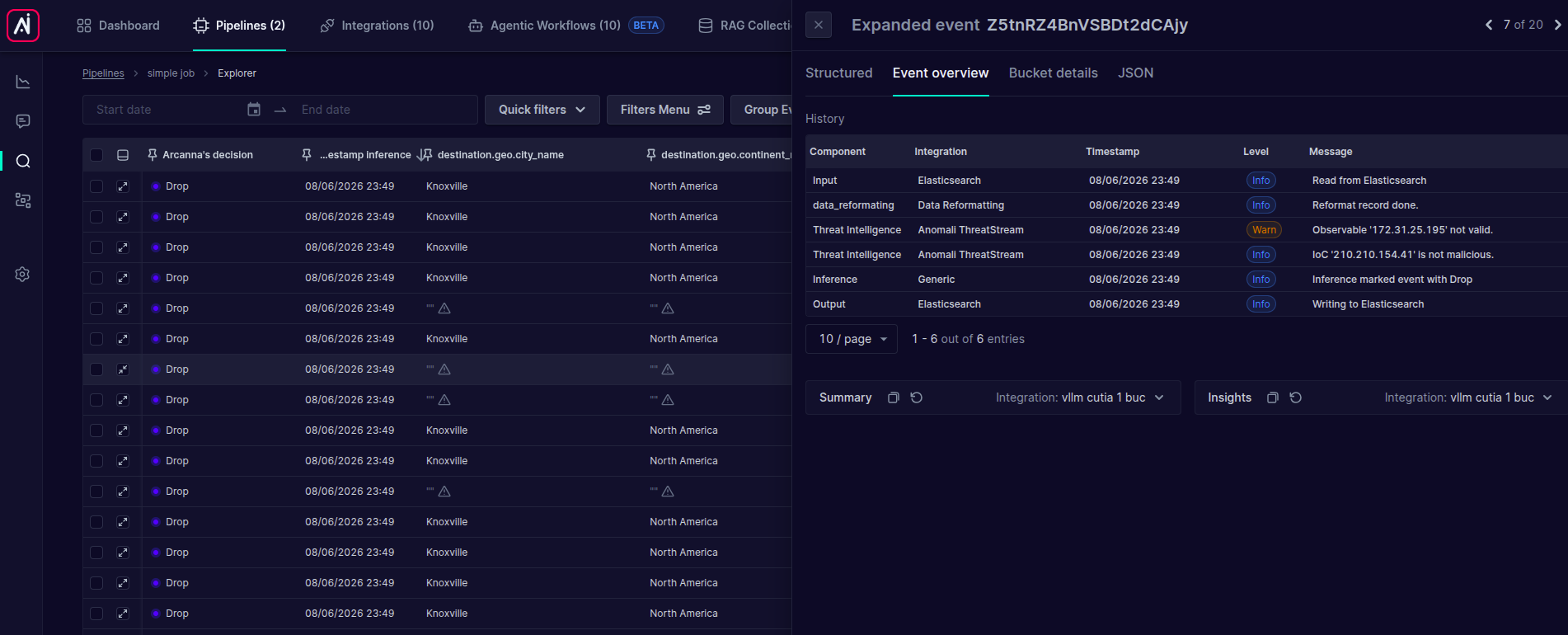
- Go to the job's Event Explorer, expand an event and open the Event overview tab. Here you can observe the Anomali ThreatStream enrichment step and its result:
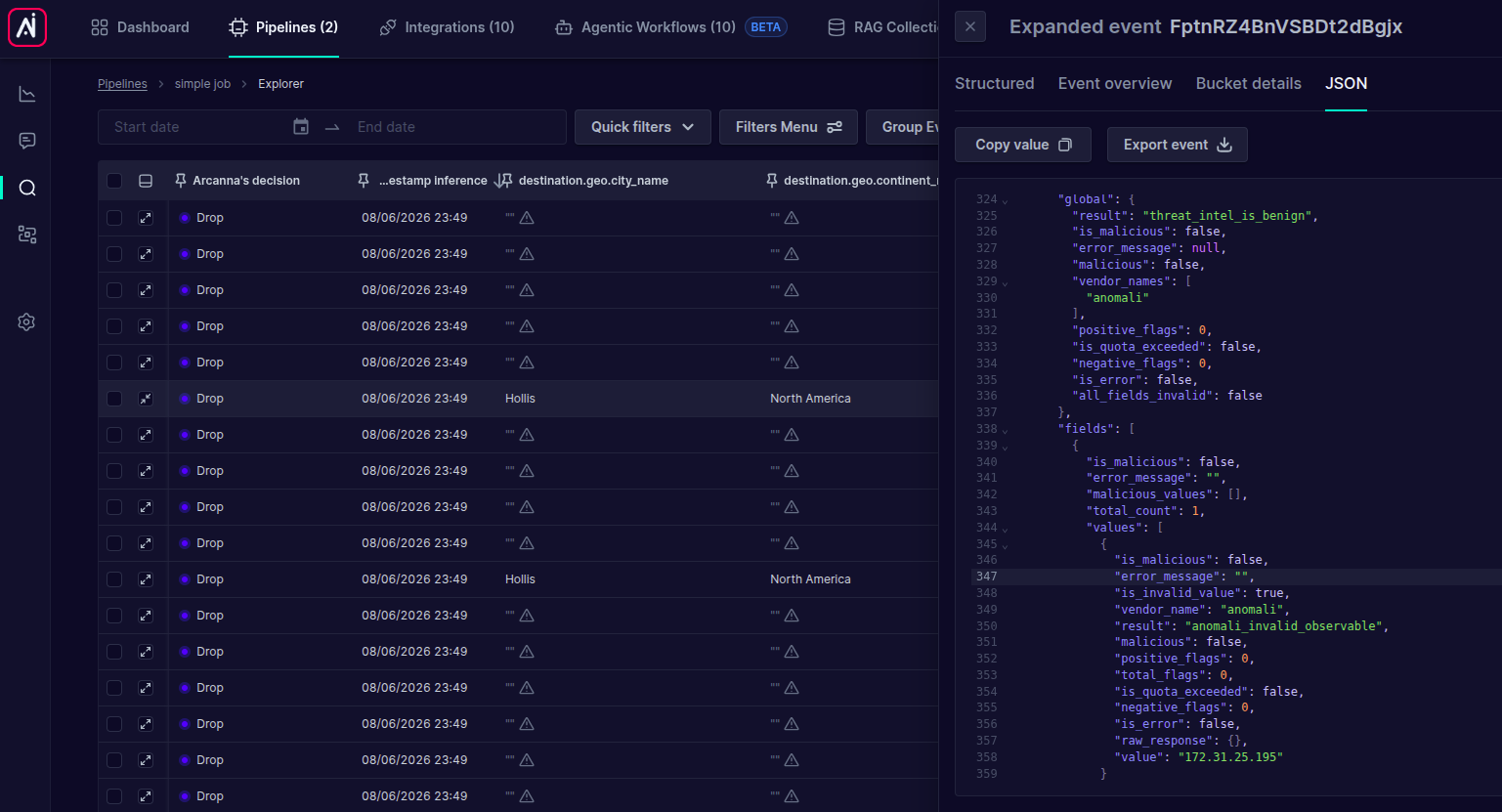
- Switch to the JSON (or Structured) tab to inspect the fields added by the integration. The overall result is available under
arcanna.ioc.global.result, and the generalis_maliciousflag reflects whether any observable was found malicious:
- Go to the Decision Points page to select the enrichment fields you want to use as features in the Arcanna AI model. Typically the field of interest is
arcanna.ioc.global.result, which contains the overall malicious result.